
Minimalist Home Office Organization Tips
Table of Contents
- Declutter and Purge Your Essentials First
- Best Minimalist Desk Accessories to Reduce Clutter
- Cable Management Tips for Home Office Setup
- Optimize Your Desk Space with Intentional Design
- Digital Minimalism and File Management
- Minimalist Desk Organization Ideas for Daily Maintenance
- Frequently Asked Questions
Last Updated: October 2, 2026
Declutter and Purge Your Essentials First
A minimalist home office organization starts with purging. You can't organize clutter, you must eliminate it first. Most people skip this step and buy storage solutions for items they don't need, defeating minimalism's purpose.
Ask one question about every item: does this serve my workflow? Paperwork untouched in six months, cables for devices you no longer own, and misaligned decorative items are the first targets.
The 10-10-10 Rule for Office Items
The 10-10-10 rule: Would I repurchase this for $10? Use it in 10 days? Keep it if I moved? Answer no to any, and it goes. This forces evaluation based on utility, not sentiment.
Start with duplicates: two lamps when you use one, three identical notepads, four cables for the same device. These decisions are simple and create immediate wins.
Keep Only What Serves Your Workflow
Every item in your minimalist home office organization must have clear purpose: a desk organizer for daily supplies, a file box for referenced documents, a charging stand for your phone. Items without purpose create visual noise and mental friction.
Best Minimalist Desk Accessories to Reduce Clutter
After purging, choose multi-functional pieces that serve multiple purposes and reduce total item count on your desk.
Modern Goods Living's 3-in-1 Magnetic Foldable Wireless Charger Stand at $21.99 combines phone, earbud, and smartwatch charging into one compact unit that collapses flat for travel.

Multi-Functional Furniture That Saves Space
One item should do the work of two or three: a desk riser with storage, a shelf that manages cables, a cushion providing back support and clean aesthetics.
The 360° Rotating Aluminum Laptop Stand at $49.99 elevates your laptop to eye level, frees desk space underneath, and rotates 360 degrees for screen sharing, three functions in one.

Ask: what problem does this solve, and could I solve two instead of one? A power strip with USB ports replaces a separate hub. A wireless charging speaker stand replaces a stand, charger, and speaker. Each consolidation reduces clutter.

Vertical Storage Solutions for Small Spaces
Vertical storage is the minimalist's secret weapon. Floating shelves, wall-mounted organizers, and pegboards transform wall space into functional storage without eating desk footprint.
Modern Goods Living's Clear Acrylic Storage Box at $19.99 keeps supplies visible without visual weight. Stack vertically to maximize space while building up, not out.
A Foldable Transparent Storage Box at $17.99 protects files from dust while keeping them visible and folds flat when not in use.
Cable Management Tips for Home Office Setup
Cable clutter undermines minimalism. Systematic cable management, consolidation, concealment, and containment, solves this.
Consolidate with a power strip with built-in USB and Type-C ports. Modern Goods Living's Power Strip with USB & Type-C at $28.99 has 13 outlets plus USB ports, eliminating five to seven adapters.
Conceal cables behind your desk using ties, clips, or a management box. If you can't see them, they don't create visual noise.
Third, contain. A cable management organizer with labeled slots prevents the "mystery cord" problem where you can't remember what connects to what. When you need to unplug something, you know exactly which cable to remove without unplugging everything else.
Optimize Your Desk Space with Intentional Design
A minimalist home office organization means every square inch of your desk serves a purpose. This section is where intentional design meets practical productivity. Your desk layout should reflect how you actually work, not how you think you should work.
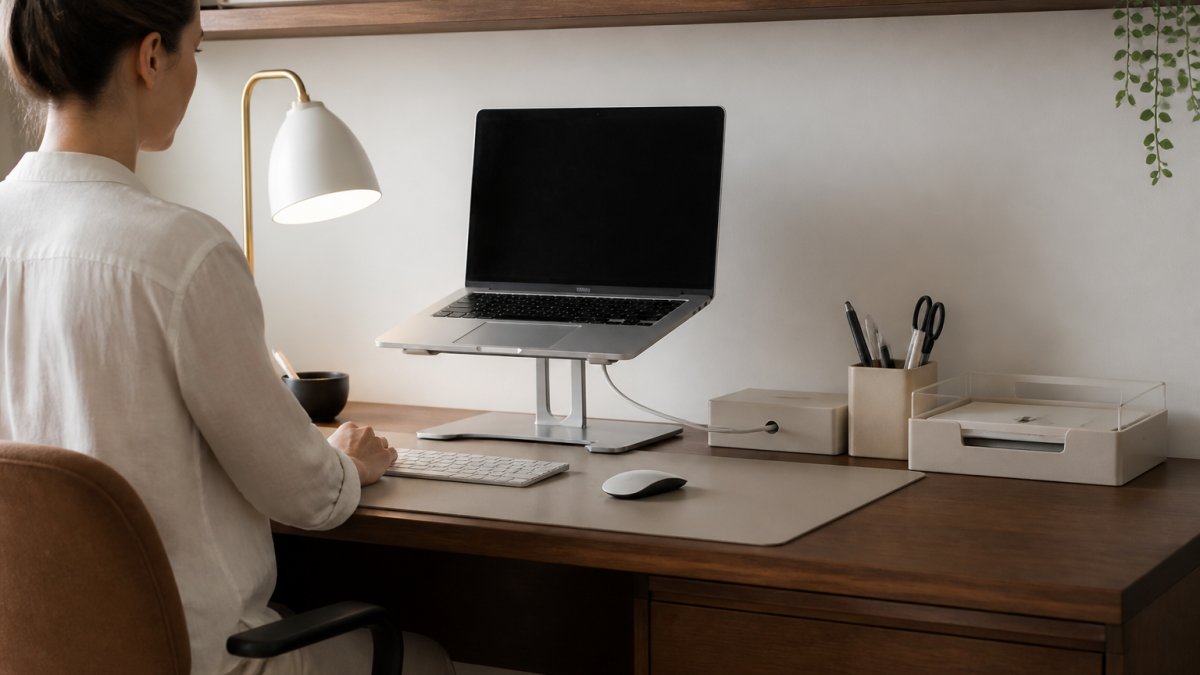
Map your workflow. Where do you place your laptop? Where does your keyboard sit? What documents do you reference most often? Design your desk around these realities, not around aesthetics. A minimalist workspace that doesn't support your actual work habits is just an empty desk.
360° Rotating Aluminum Laptop Stand – Ergonomic Height Adjustable Cooling →
Keep your active workspace clear. Items you use daily, pen, notepad, phone, stay within arm's reach. Everything else goes into drawers, shelves, or storage boxes. This creates breathing room on your desktop and reduces the mental load of visual clutter.
Ergonomic Setup for Productivity and Health
Ergonomic design isn't optional in a minimalist home office organization, it's essential. Poor posture creates discomfort, which creates distraction, which kills productivity. The right ergonomic setup actually enables minimalism because you're not fighting your body's needs.
Your monitor should sit at eye level. A laptop stand like the 360° Rotating Aluminum Laptop Stand achieves this while freeing up desk space. Your keyboard and mouse should position your wrists at a neutral angle. Your chair should support your lower back without requiring additional cushions.
The Memory Foam Seat Cushion with Back Support at $29.99 upgrades any chair into an ergonomic seat. Instead of replacing your entire chair, this cushion provides the support you need while maintaining a clean, minimal aesthetic. It's a single addition that solves a real problem without creating visual clutter.
Proper ergonomics reduce fatigue, improve focus, and make long work sessions sustainable. In a minimalist office, that matters because you're not distracted by discomfort or the need to adjust your setup constantly.
Lighting and Accessibility Considerations
Lighting shapes how your minimalist home office feels and functions. Poor lighting creates eye strain and makes the space feel cramped. Good lighting makes a small office feel larger and more welcoming.
Task lighting should be focused and adjustable. A single desk lamp that directs light onto your work surface beats multiple overhead lights that illuminate the entire room. Ambient lighting, from a window or a soft overhead fixture, prevents harsh shadows and creates visual balance.
Modern Goods Living's LED Light Motion Sensor at $22.99 adds functional lighting without cluttering your desk. Motion-activated lights in closets or shelving units provide accessibility without requiring visible switches or additional fixtures.
Accessibility also means organizing items you use frequently at eye level or within easy reach.
Digital Minimalism and File Management
A minimalist home office organization isn't just about physical space, it's about digital space too. A cluttered desktop, overflowing email inbox, and disorganized file folders create mental clutter that undermines the calm you're trying to build.
Minimalist Desk Organization Ideas for Daily Maintenance
A minimalist home office organization isn't a one-time project, it requires a daily maintenance routine. Without it, clutter creeps back in and the space deteriorates. The key is building habits that take minutes each day instead of hours once a month.
The Daily Reset Routine
The daily reset is the foundation of sustained minimalism. Spend five minutes at the end of your workday returning items to their designated places. Cables go back into their management system. Papers get filed or recycled. Supplies return to their organizers. Your desk starts the next day clean and ready.
Choosing a Neutral Palette for Visual Calm
Color psychology matters in a minimalist workspace. A neutral palette, whites, grays, blacks, and natural wood tones, creates visual calm and makes the space feel larger. Every colored item you introduce competes for attention and increases visual noise.
| Strategy | Purpose | Frequency |
|---|---|---|
| Declutter and purge | Remove items that don't serve your workflow | Once during setup, then quarterly |
| Daily reset routine | Return items to designated places | Every workday (5 minutes) |
| Vertical storage | Maximize wall space, minimize desk clutter | Ongoing organization method |
| Cable consolidation | Reduce cord clutter with multi-port hubs | Once during setup, then as needed |
| Neutral color palette | Create visual calm and flexibility | Ongoing design principle |
| Ergonomic positioning | Support health and reduce fatigue | Once during setup, adjust as needed |
American Psychological Association research on workspace design and productivity
OSHA ergonomic guidelines for office workstations
Harvard Business Review article on minimalism and workplace focus
Frequently Asked Questions
What are the essential items for a minimalist home office workspace?
A minimalist workspace needs only what directly supports your work: a functional desk, ergonomic chair, laptop or computer, task lighting, and storage for active files. Everything else, decorative items, excess supplies, unused furniture, creates visual clutter and mental distraction. Start with these core pieces, then add storage solutions like clear acrylic boxes or vertical shelving only as needed. The goal is accessibility without excess.
How do I keep my minimalist home office desk clutter-free daily?
Implement a daily reset routine: spend 5-10 minutes at the end of each workday clearing your desk. File active documents, return items to their designated storage spots, and wipe surfaces clean. Use drawer dividers and labeled containers so everything has a home. An ergonomic laptop stand like the 360° Rotating Aluminum Laptop Stand ($49.99) elevates your screen and frees desk space underneath for supplies. This intentional design prevents clutter from accumulating.
What's the best way to manage cables in a home office?
Cable management is critical for a minimalist aesthetic. Group cables behind your desk using cable ties or clips, keeping them out of sight. A power strip with USB and Type-C ports ($28.99) consolidates multiple charging needs into one outlet, reducing cable volume. Run cords along the back edge of your desk or use cable sleeves to bundle them. Label each cable at both ends so you know what connects where, making it easier to remove unused devices and maintain your clutter-free workspace.
How do I organize paperwork and digital files in a minimalist home office?
For paperwork, use a foldable transparent storage box ($17.99) for archived documents, you can see what's inside without opening it. Keep only current files on your desk in a small organizer. Digitize important documents using a scanner or phone app, then shred the originals. For digital files, create a simple folder structure on your computer: separate folders for projects, clients, and reference materials. Delete old emails regularly and unsubscribe from unnecessary newsletters to reduce digital clutter and improve workflow efficiency.
